
- Navigate to ACC Suitable Dashboard
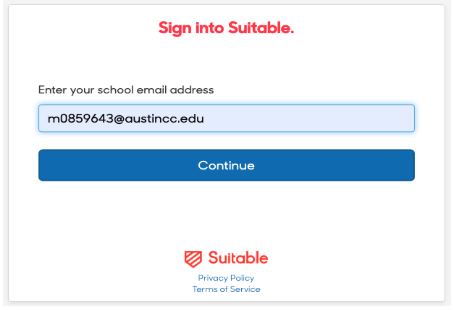
- Type your ACC eID email (Ex: [email protected]). Click Continue
NOTE FORMAT: letter of your first name + student ID number @austincc.edu
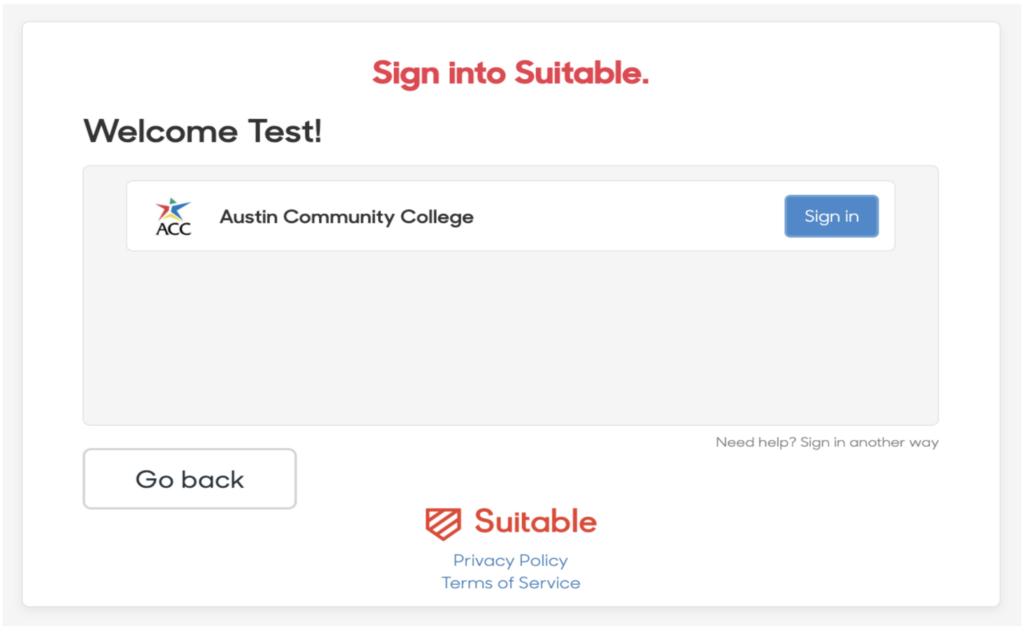
- Click the blue Sign in button
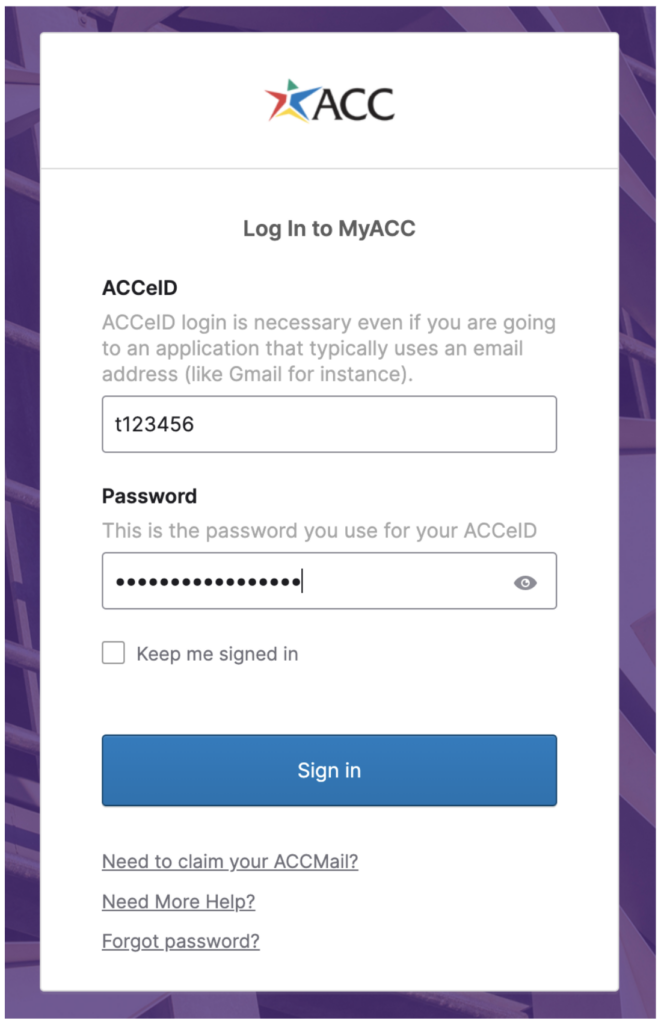
- You will then be prompted to sign in with your ACCeID and Password. Once signed in, you will be taken directly to your Suitable profile
Note: If you receive an error message after logging in with your ACCeID credentials, please take a screenshot of the error message and then fill out our Suitable Login Error Form.
Please ensure you have followed the instructions in Step 1 & 2 appropriately BEFORE proceeding with the support request.
I no longer have access to my ACC email, or my ACC email has changed. Can I still access my original Suitable account to view my achievements?
If a student, faculty, or staff member leaves ACC, there may be a need to update the associated email address. Non-ACC users will not be able to be awarded additional badges; however, by updating your email address, you can continue to view your portfolio of awarded badges through the system.
Examples of why email addresses may change:
- Name change
- Moving from student to employee (email changing from @g.austincc.edu to @austincc.edu)
- Leaving Austin Community College (email changing from your ACC email address to a personal email address)
To request that your email address be updated in Suitable, please fill out our request to update Suitable email address form.
I get an error when logging onto Suitable. What should I do?
Before submitting a login support request, please review the Suitable login instructions. These steps resolve most login issues related to account access and authentication. If you still receive an error message after logging into Suitable with your ACCeID credentials, please take a screenshot of the error message and fill out our Suitable login error form for assistance.
What is a Suitable Scorecard, and how do I share it?
To learn more about Suitable Scorecards and how to share them, view Suitable’s Sharing your Scorecard article.
I’m a faculty member, why does Suitable say I am a student?
At ACC, everyone (staff, students, and faculty) is considered a student in Suitable! Faculty and staff statuses are only coded on the back end to ensure access to the appropriate achievements.