
Assessment
Austin Community College (ACC) and the Teaching and Learning Excellence Division (TLED) provide several types of faculty support for the development of assessments. We also have an Assessment FAQ below to answer some basic common questions.
“For assessment to improve student learning and authentically document what students know and can do for today’s diverse students, an equitable and culturally responsive approach to assessment is needed.”
–National Institute for Learning Outcomes Assessment
Announcements
Respondus Student Help: If students need technical support on updating Respondus LockDown Browser, they can contact Student Technology Services.
Testing Guide
Our Testing Guide is comprehensive, including an ACC Testing Comparison Chart and:
-
-
- Proctoring information and options
- Technology requirements for testing
- Help and support information
-
ACC Testing Centers
The ACC Testing Centers page provides faculty-focused:
-
-
- Updates and announcements
- Information on guidelines
- Support contacts
-
Teaching Consultations & Support
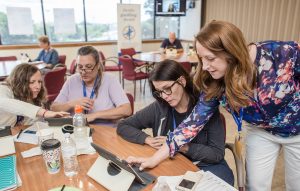 The Teaching & Learning Excellence Division (TLED) and the Office of Distance & Alternative Education (ODAE) provide comprehensive support in course design, technology tools for teaching, and other high-impact practices that contribute to our Guided Pathways model at Austin Community College (ACC). We are available for various types of consultations to provide just-in-time assistance and support for your teaching. Review our robust options by visiting:
Resources
Creating traditional assessments that focus on recall and memorization of facts can be tempting to use for mobile learning. In fact, in 2020, 51% of ACC faculty reported the need to learn more about online testing for remote teaching. However, alternative assessments such as portfolios, presentations, and more give students a chance to apply higher ordered thinking and are just as well supported by technologies used for mobile learning. Review the resources below to learn more about alternative assessments.
-
Curated Links
Title
Institution
Author
Link
Bloom’s Taxonomy
Vanderbilt U.
Patricia Armstrong
Classroom Assessment Techniques (CATs)
Valencia College
Angelo and Cross
Assessing student learning
Indiana U Bloomington
Center Teaching and Learning
Measuring student learning
Cornell U.
Center Teaching Innovation
Bloom et al.’s taxonomy of the cognitive domain
Valdosta State U
W. Huitt
Bloom’s Taxonomy of Educational Objectives
Yale U.
Graduate Teaching Center
What are inclusive assessment practices?
Tufts U
Office of Provost
Creating Sustainable Assessment through Collaboration
National Institute for Learning Outcomes Assessment
Kara J. Malafant, Karen Brown
Equity in Assessment
National Institute for Learning Outcomes Assessment
Erick Montenegro
Bloom’s taxonomy action verbs
Fresno State U
W. Huitt
Evaluating students
Stanford U
Teaching Commons
Equity and Assessment: Moving Towards Culturally Responsive Assessment
National Institute for Learning Outcomes Assessment
Erick Montenegro, Natasha K. Jankowski
Focused on What Matters: Assessment of Student Learning Outcomes at Minority-Serving Institutions
National Institute for Learning Outcomes Assessment
Erick Montenegro, Natasha K. Jankowski
Alternatives to Traditional Exams and Papers
Indiana U Bloomington
Center for Innovative Teaching and Learning
Assess teaching and learning
Carnegie Mellon U
Eberly Center
-
E-Books
Title
Date
Author
Permalink
Assessing Student Learning : A Common Sense Guide
2018
Linda Suskie
Assessing the online learner : resources and strategies for faculty
2009
Rena M. Palloff
Becoming a student-ready college : a new culture of leadership for student success.
2016
Tia Brown McNair
A Complete Guide to Rubrics : Assessment Made Easy for Teachers, K-College
2012
Audrey M. Quinlan
Evaluation Beyond Exams in Nursing Education : Designing Assignments and Evaluating With Rubrics
2014
Robin Donohoe Dennison
The Handbook of Communication Training : A Framework for Assessing and Developing Competence
2018
J.D. Wallace
Classroom Assessment in Action
2011
Mark D. Shermis
Classroom Assessment : A Practical Guide for Educators
2017
Craig D. Mertler
Checking for Understanding : Formative Assessment Techniques for Your Classroom
2007
Douglas Fisher
Classroom Assessment and Grading That Work
2006
Robert J. Marzano
Classroom assessment : enhancing the quality of teacher decision making
2003
Lorin W. Anderson
Curriculum Based Assessment : A Primer
2004
Charles H. Hargis
Formative Assessment : Making It Happen in the Classroom
2010
Margaret Heritage
Introduction to Rubrics : An Assessment Tool to Save Grading Time, Convey Effective Feedback, and Promote Student Learning
2005
Dannelle D. Stevens
Designing and assessing courses and curricula : a practical guide
2008
Robert M. Diamond
Formative Assessment in a Brain-Compatible Classroom : How Do We Really Know They’re Learning?
2016
Marcia L. Tate
The Leaders of Their Own Learning Companion : New Tools and Tips for Tackling the Common Challenges of Student-Engaged Assessment
2019
Ron Berger
InterActive Classroom : Practical Strategies for Involving Students in the Learning Process.
2019
Ron Nash
Increasing productivity and efficiency in online teaching
2016
Patricia Dickenson
Fair Isn’t Always Equal, 2nd Edition : Assessment & Grading in the Differentiated Classroom
2017
Rick Wormeli
Effective grading : a tool for learning and assessment in college
2010
Barbara E.F. Walvoord
Rubric Assessment Goes to College : Objective, Comprehensive Evaluation of Student Work
2013
Mary J. Goggins Selke
Striving for the Perfect Classroom : Instructional and Assessment Strategies to Meet the Needs of Today’s Diverse Learners
2010
Kelli R. Pacquette
Testing student learning, evaluating teaching effectiveness
2004
Williamson M. Evers
The Online Teaching Survival Guide : Simple and Practical Pedagogical Tips
2016
Judith V. Boettcher
Evaluation and testing in nursing education
2009
Marilyn H. Oermann
Portfolio Assessment for the Teaching and Learning of Writing
2018
Ricky Lam
Powerful Teaching : Unleash the Science of Learning
2019
Pooja Agarwal
Reflective teaching, effective learning instructional literacy for library educators
2011
Char Booth
How to Use Grading to Improve Learning
2017
Susan M. Brookhart
On Grades and Grading : Supporting Student Learning Through a More Transparent and Purposeful Use of Grades
2013
Timothy Quinn
Great performances: creating classroom-based assessment tasks
1998
Larry Lewin
The theory and practice of grading writing: problems and possibilities
1998
Frances Zak
Understanding by design
1998
Grant P. Wiggins, Jay McTighe
(Re)articulating writing assessment for teaching and learning
2002
Brian A. Hooat
What We Know About Grading : What Works, What Doesn’t, and What’s Next
2019
Thomas R. Guskey
What we really value : beyond rubrics in teaching and assessing writing
2003
Bob Broad
-
Journals
To access these journals, please go to:
and then login with ACCeID credentials (Okta) and search by journal title.
Journal Titles
These are available via the ACC Library:
- American Biology Teacher
- American Music Teacher
- American Teacher
- Art Education
- Educational Assessment
- Research and Practice in Assessment
- Journal of Assessment and Institutional Effectiveness
- Assessment and Evaluation in Higher Education
- The International Journal of Assessment and Evaluation
-
Online Readings
-
Podcasts
Listen to the Teaching & Learning Champions Podcast: Use of Alternative Assessment through Remote Teaching.
-
Streaming Video
Assessment FAQ
We update this FAQ regularly. If your question is not listed, email [email protected].
Get help
The Teaching and Learning Excellence Division (TLED) and the Office of Distance and Alternative Education (ODAE) provide support in course design, teaching technologies, and other high-impact practices that strengthen Austin Community College’s (ACC) Guided Pathways model. We offer a range of consultations for just-in-time assistance. Review options at Teaching Consultations and Support.
DE proctoring
-
What is DE proctoring?
ACC provides an online live proctoring platform for Chromebooks as well as Windows and Mac computers and laptops. Distance Education personnel monitor the student live through Class for Zoom while the student takes the exam.
-
How do I get started with setting up DE proctoring?
See the Testing Guide.
-
What optional materials can be specified in a DE-proctored test?
Zuleyka Izquierdo, Manager
Distance Education Testing
512-223-0461
[email protected] -
What instructions do students need to prepare for a DE proctoring session?
See the Testing Guide.
-
How do students set up a DE proctoring session?
See the Testing Guide.
-
What are the technical requirements for DE proctoring?
See the Testing Guide.
-
If I have questions about DE proctoring not listed here, who can I contact?
Zuleyka Izquierdo, Manager
Distance Education Testing
512-223-0461
[email protected]
Respondus
-
What are Respondus LockDown Browser and Respondus Monitor?
Respondus LockDown Browser is a specialized web browser that secures a student’s computer during an online exam in Blackboard. It prevents students from accessing other browsers or tabs; copying, pasting, or taking screen captures; using instant messaging; opening other applications; or visiting other websites (unless configured to allow specific external sites).
LockDown Browser can be used on its own or with Respondus Monitor for added security. Respondus Monitor uses the student’s webcam and microphone to record the testing session and deter use of secondary devices, outside materials, or assistance from others.
-
What’s the difference between LockDown Browser and Monitor?
LockDown Browser restricts the testing environment on the device. Monitor adds webcam and microphone recording during the exam.
-
How do I get started with Respondus?
Visit the Respondus tool page to get started.
-
What are the technical requirements for Respondus?
- Windows: 10, 8, 7 (note: Windows 10 S is not compatible)
- Mac: OS X 10.10 or higher
- iOS: 10.0+ (iPad only)
- Webcam (internal or external) and microphone (Respondus Monitor only)
- Broadband internet connection
-
Are LockDown Browser and LockDown Browser with Monitor compatible with iPads?
Yes. See the Testing Guide.
Additional information: Can an iPad be used with LockDown Browser?
-
How do I create and format questions in Respondus?
Email [email protected] for assistance.
-
I am a Mac user. How do I access the Respondus test bank software?
Mac users can access Respondus via the ACC Faculty Virtual Desktop. If you have not enabled the Faculty Virtual Desktop, you can do so there. Visit the Teaching and Learning Knowledge Base for setup instructions.
-
What do students need to know to use Respondus?
- Students must download and install LockDown Browser on their system. iPad users need to download the LockDown Browser app from the Apple App Store. (ACC-issued iPads include LockDown Browser.)
- Students must use LockDown Browser to open Blackboard and access the exam. Advise students not to start the test in another browser (Chrome, Firefox, etc.), as the exam will not launch.
-
Where can students download LockDown Browser?
Direct students to the Respondus Help Pages for the download link and a quick start guide.
-
Looking for more information?
Student Accessibility Services
-
How are tests handled for students with accommodations approved by Student Accessibility Services?
Blackboard Ally is available in all Blackboard shells to support document accessibility. Ally does not change how course content works but provides “indicators” to show file accessibility. Instructors can click the indicator for feedback on issues, why they matter, and how to fix them.
Ally also generates alternative formats, such as HTML for phones, ePub for tablets, MP3 for audio, and electronic braille. These formats do not affect the original file and are available to students and instructors.
-
Testing with accommodations
Testing accommodations are administered by each campus testing center. Students should schedule appointments at least five business days in advance. Once scheduled, [email protected] will email you with exam location and instructions. Please respond promptly.
Instructor receives an email if accommodations include:
- Magnifiers (CCTV, JAWS, ZoomText/Fusion, etc.)
- Kurzweil/Text to Speech
- Live reader/scribe
- Enlarged font or alternative exam formats
- Speech recognition software
- Reduced-distraction testing
- Other SAS-supported accommodations
Instructor submits test directly to the Testing Center if accommodations include:
- Extended time
- Breaks during exams
- Drinks/snacks
- Sunglasses or tinted glasses
- Headphones (not connected)
- Approved open book/notes
- Medical devices (oxygen, insulin pump, etc.)
- Computer for essay exams
Submit the test with the testing center transmittal form, marked “SAS Test Only,” and include the student’s approved accommodations.
More information: Student Accessibility Services
Questions and contacts
For testing questions: [email protected]
For accommodations, visit the SAS Contact page.
-
What if a student’s accommodations read: “Testing/Quizzes – Reader (Audio or Oral format)”?
JAWS, ZoomText, Fusion, and NVDA software work with the latest versions of Respondus. If students have trouble, contact [email protected].
-
How can I make my Word documents and PowerPoints accessible?
-
Where can I learn more about Kurzweil as an accommodation?
- On Blackboard: Students can use Kurzweil via the Read the Web extension without a password.
- With Respondus LockDown Browser: Kurzweil is now compatible, though limitations remain. SAS Testing may provide further support.
- PDF documents: Students can open and use them in Kurzweil 3000.