How to download Microsoft Access

For those who don't already have Access on their PC

There are 3 requirements to download a free version of Access:

  • You must have a Microsoft Office 365 account. If you don’t already have an account, go to How to get Microsoft Office 365 to get a free account.
  • You must have a PC that uses Windows OS
  • You must be able to download software on this PC

Follow the step-by-step instructions below.

Step-by-step instructions:

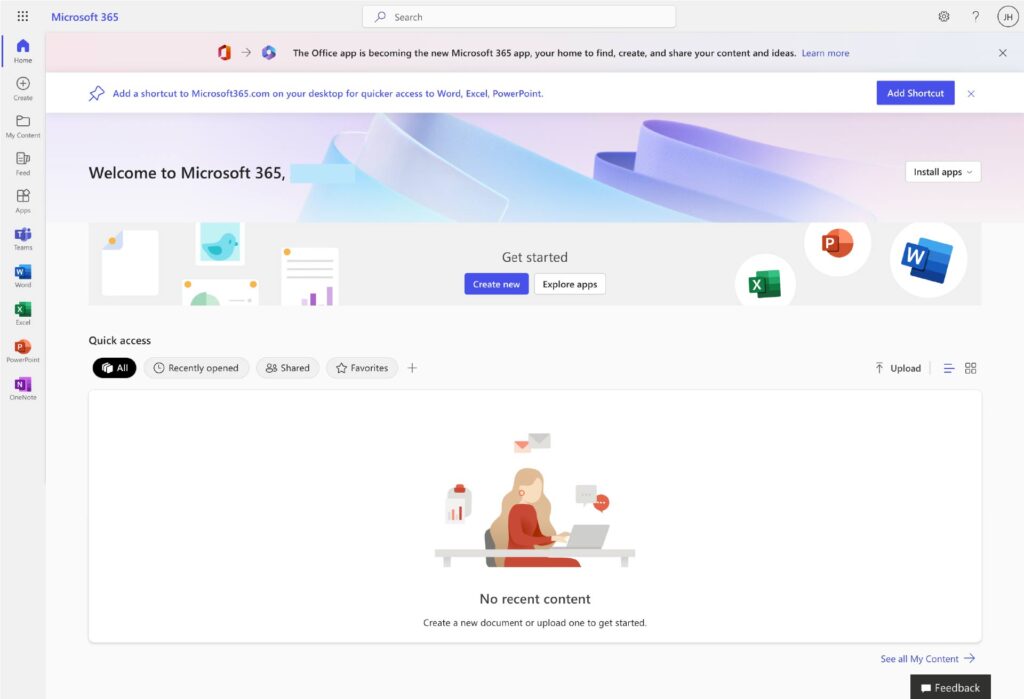
1. Log in to your Microsoft Office 365 dashboard

If you don’t already have Microsoft Office 365 bookmarked, go to the link below to sign in.

https://login.microsoftonline.com

2. Install Office 365 on your computer

Microsoft Access is not available in the online version of Office 365. You’ll need to download Office 365 suite to your computer. Follow the steps below:

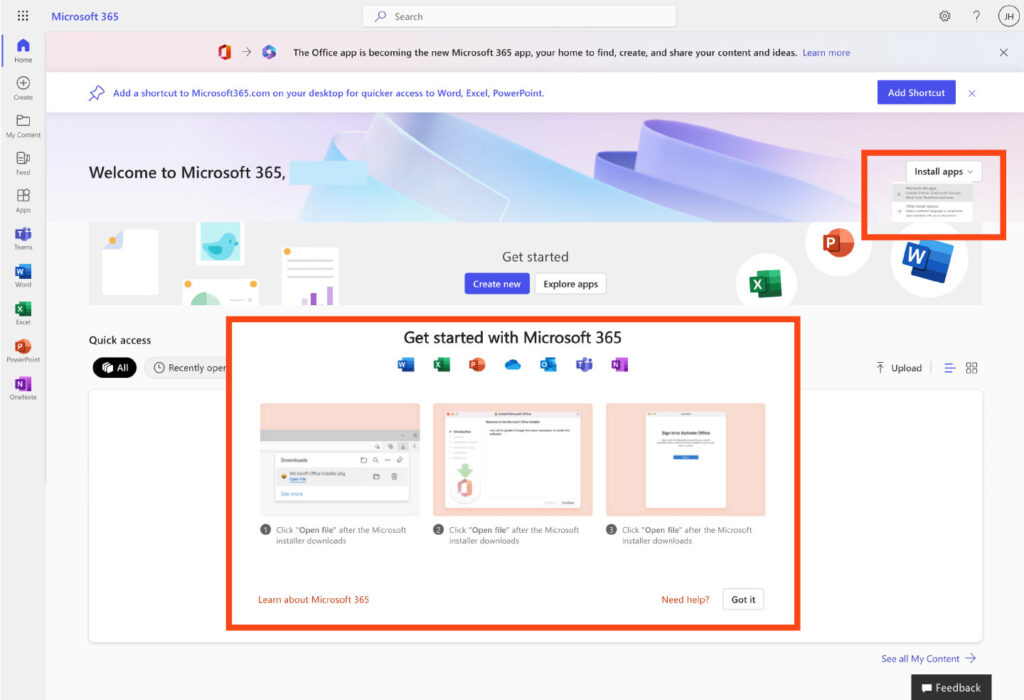
  1. From the Office 365 dashboard click on the “Install apps” button in the upper right corner.
  2. Choose “Microsoft 365 apps” from the dropdown menu.
  3. A popup will appear. Follow the prompts to install Microsoft Office 365 on your computer.

Note: You will need a stable internet connection when downloading – the downloading process can take 5 to 20 minutes depending on the speed of your internet connection and your computer.
3. Open Access on your computer

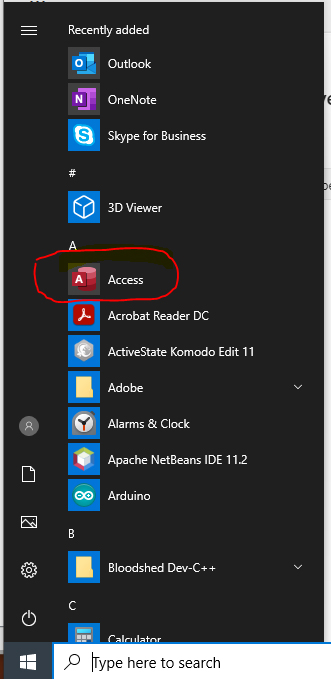
Navigate to your Window’s Start Menu where you will see Microsoft Access.

Recent Publications

Recent Presentations
& Events

Contact Us

Linda Smarzik
Dean, Digital Fluency & Innovation
[email protected]
Karina Hernandez
Associate Dean, Digital Fluency & Innovation
[email protected]
Scroll to Top